 Byte
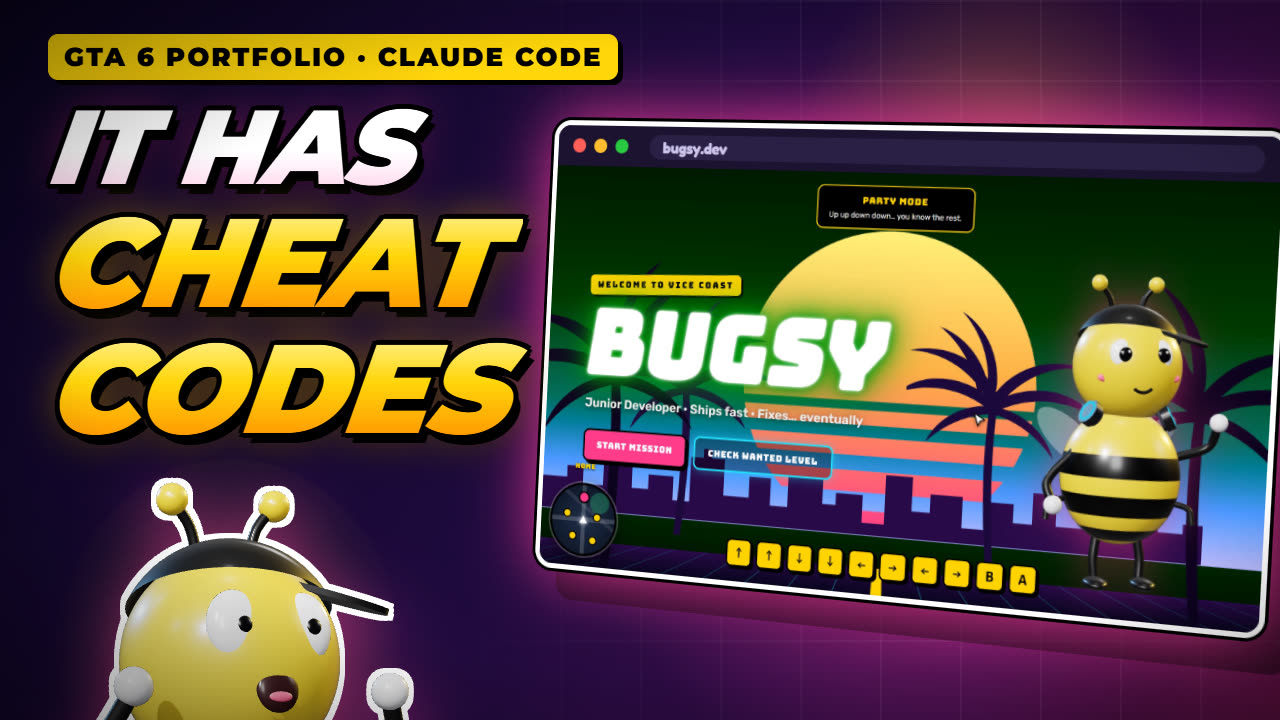
Try the cheats
Click anywhere on the live site (not in the form) and type:
| Cheat | What happens |
|---|---|
HESOYAM | Every skill jumps to five stars |
↑ ↑ ↓ ↓ ← → ← → B A | Party mode: the whole site changes colour (type it again to stop) |
| A secret six-letter word | Bugsy launches off the screen. Hint: what he does on Fridays |
On a phone, tap the cheat cards instead.
What's inside
- Synthwave sunset with parallax palms: one CSS variable (
--scroll) set on scroll; each layer moves at its own speed. - Wanted-level skills: stars light up one by one with an
IntersectionObserver. - Mission cards: comic-style halftone dots from a single
radial-gradient. - Minimap navigation: the active section's blip turns pink and the arrow points at it.
- Cheat codes: keep the last 10 keys and compare the end of the buffer.
- "Mission passed" contact form: a demo, nothing is sent anywhere.
The 8 things Claude got wrong
Most of the site worked first time. These didn't, and every one was caught by looking at real screenshots, not by trusting the code.
| # | What was wrong | Fix |
|---|---|---|
| 1 | The palm trees were missing. One wide SVG layer used preserveAspectRatio="slice", which scaled it up and pushed both palms off the edges of the screen. | One small SVG per palm, pinned to the left and right edges. |
| 2 | A tiny yellow box peeked out at the top of the page. The hidden "cheat activated" toast was only moved up, not hidden. | Hide it with visibility until it's shown. |
| 3 | On phones the tagline ran off the screen ("Fixes… eventu"). A flex item won't shrink below its content unless you let it. | min-width: 0; flex: 1 on the hero text. (That screenshot was partly fooled by #8, but the fix is still correct.) |
| 4 | The Konami code failed with Caps Lock on: the browser reports B and A, not b and a. | Lower-case single letters before comparing. |
| 5 | The classic "step through the code, reset on a wrong key" Konami detector breaks if you press ↑ three times. | Keep the last 10 keys and compare the end. |
| 6 | Minimap labels ("Skills", "Missions") were cut off: the round map has overflow: hidden, which also clips anything that sticks out. | Show the label in its own element above the map. |
| 7 | Four mission cards in a three-column grid left one orphan card on its own row. | A 2 × 2 grid on desktop, one column on phones. |
| 8 | Screenshots themselves lied at first: headless Edge won't make a window narrower than about 500 px, so the "phone" shot was a cropped wider page, and jumping to #skills didn't scroll. | Playwright with real phone emulation (390 × 844) and scripted scrolling. |
The prompts
Paste these into Claude Code one at a time, in an empty folder. Swap in your own name, skills and projects. They were written after the build to reproduce it, so expect small differences.
1. The plan
Build me a one-page developer portfolio styled like an open-world crime game
(synthwave Miami vibe: purple sky, big sunset, palm trees, neon pink and yellow).
Plain HTML, CSS and JS in index.html, style.css and main.js. No framework, no build step.

Sections:
- Hero: my name huge with a neon glow, a one-line tagline, two buttons
  ("Start mission" → projects, "Check wanted level" → skills).
- Wanted level: my skills as cards, each rated with 5 stars.
- Missions: my projects as numbered mission cards with tags and a status
  badge ("In progress" / "Mission passed").
- Hire me: a contact form.

Before writing code, show me the file structure and the colour palette.
2. The hero
Make the hero feel like a game title screen:
- A synthwave sunset (sun with horizontal stripes), a city skyline, a neon road grid.
- Palm tree silhouettes on the left and right edges.
- Parallax on scroll: set one CSS variable (--scroll) from JS and let each layer
  move at its own speed with transform. Keep it smooth (requestAnimationFrame).
- Respect prefers-reduced-motion: no parallax for those users.
3. Game UI
Add game UI details:
- A round minimap fixed in the bottom-left corner that works as the navigation.
  One blip per section; the current section's blip turns pink and the arrow points at it.
- Skill stars light up one by one when the section scrolls into view (IntersectionObserver).
- Mission cards get comic-style halftone dots made with a single radial-gradient.
- When the contact form is submitted, show a big "MISSION PASSED" overlay with "+ RESPECT"
  underneath, like the game. Don't send the form anywhere: it's a demo.
4. Cheat codes
Add cheat codes. Keep the last 10 key presses in a buffer and check whether the buffer
ENDS with a code (don't step through the code and reset on a wrong key: that breaks when
someone presses ↑ three times). Lower-case single letters so Caps Lock doesn't break it.
Ignore key presses while typing in the form.

- HESOYAM: every skill jumps to five stars, with a toast "Cheat activated".
- ↑ ↑ ↓ ↓ ← → ← → B A: party mode, the whole site changes colour. Type it again to stop.
- SHIPIT: the mascot launches off the screen.

Phones have no keyboard, so add tappable "cheat cards" that trigger the same cheats.
5. Check it with real screenshots (the important one)
Don't trust the code: look at the page. Use Playwright to take screenshots at
1440×900 (desktop) and 390×844 with real phone emulation, scrolling to every section.
Look at every screenshot and fix anything that is cut off, hidden, overflowing or
missing. List what you found and what you changed.
The last prompt matters most: in our build, checking real screenshots caught missing palm trees, a cheat code that broke with Caps Lock and text running off the screen on phones.